
How to Read a P&ID: A Line by Line Guide for Engineers and Buyers
How to read a P&ID line by line: equipment tags, line numbers, valves and ISA instrument letters, and what a buyer takes from the drawing to build RFQs.
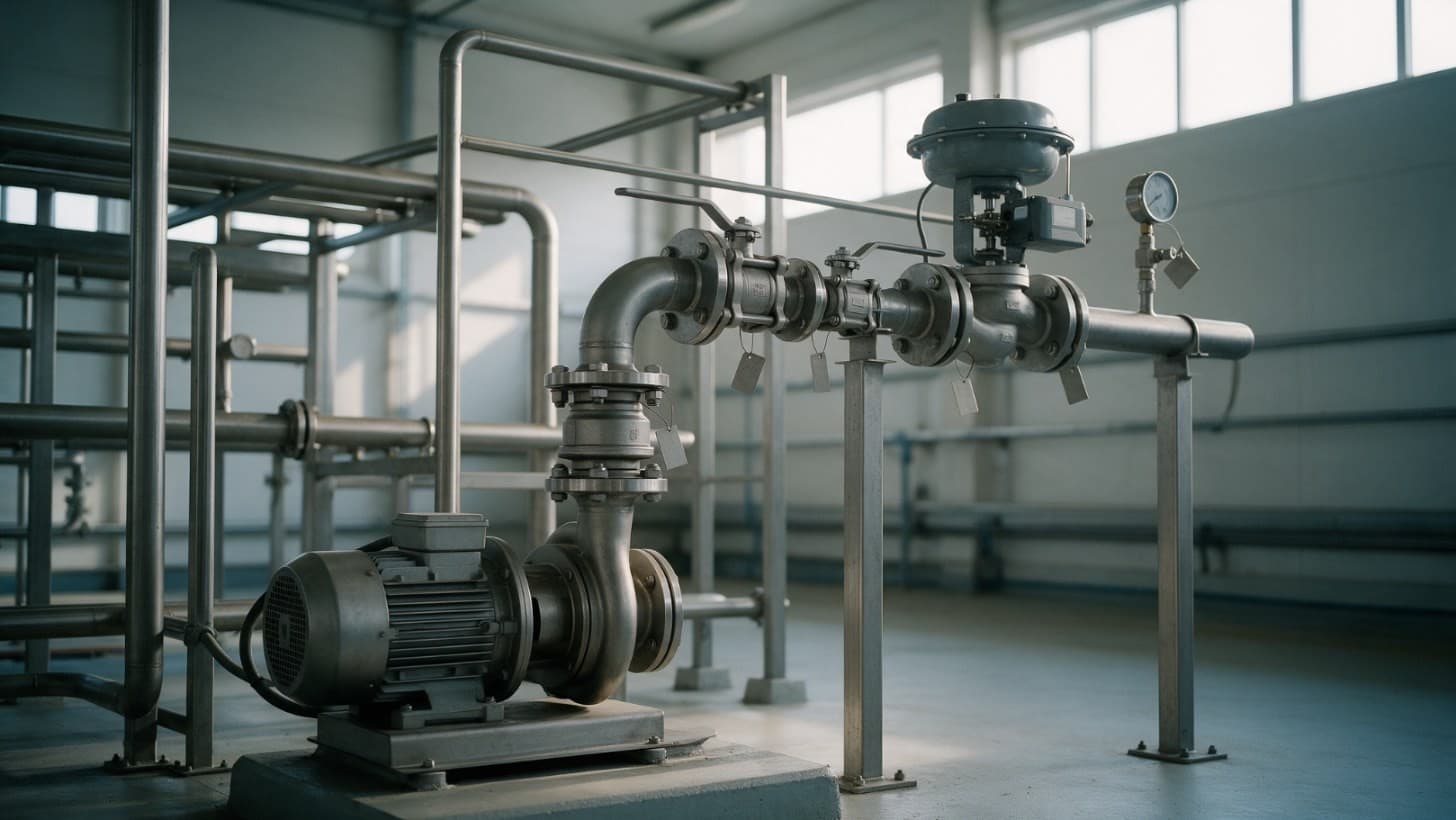
A P&ID, or piping and instrumentation diagram, shows how a process works: every item of equipment, line, valve and instrument, with equipment and instruments tagged and lines numbered [1, 2]. To read one, start with the legend sheet, then follow one line at a time between items of equipment, decoding each tag as you reach it. The line number usually gives size, service, material or piping specification and insulation; the letters in each instrument bubble say what is measured and what the device does [1, 3].
A P&ID is a schematic, not drawn to scale, and it omits the stream numbers, temperatures, pressures and flows shown on the process flow diagram (PFD) [1]. It tells a buyer what to buy and how many, but not how to size it.
Why this matters now
In October 2024 the International Society of Automation (ISA) announced a new edition of ISA 5.1, its oldest standard, which sets common symbols and tag letters for instruments and controls on engineering drawings such as P&IDs and PFDs [4]. For the wider drawing, ISO 10628 Part 2 defines graphical symbols for chemical and petrochemical diagrams, and ISO confirmed it as current in 2024 [5].
DEXPI publishes open, vendor neutral data models for exchanging engineering information, P&IDs included; its 2.0.1 specification appeared in September 2026 [6].
And the drawing has to match the plant. HSE guidance says isolations should be planned on the P&ID in force, and where the plant differs, the drawing should be corrected and reissued [7].
Join ChemCapital to streamline sourcing and connect with verified partners
Whether you're buying or supplying, ChemCapital gives you the tools to manage the complete procurement cycle in one platform.
What a P&ID shows, and what it leaves out
| Information | On the P&ID? | Where else to look |
|---|---|---|
| Equipment type, number and name | Yes; numbers match the PFD [1] | Equipment datasheets |
| Line size, service, material and insulation | Yes, in the line number [1, 2] | The piping specification |
| Valves in each line | Yes, identified by type [1] | Valve datasheets |
| Instruments and control loops | Yes, with location and signal paths [1, 3] | Instrument datasheets |
| Stream temperatures, pressures and flows | No [1] | PFD and process datasheets |
| Real size, position and pipe lengths | No; it is a schematic [1, 2] | Piping general arrangements and isometrics [7] |
The four families of symbols
Equipment
Each item is identified by type code, number and name, such as TK 101, methanol tank, with numbers matching the PFD [1].
Lines and line numbers
A typical line code is built from size, service, material of construction or piping specification, insulation and, where fitted, tracing [1]; formats vary, so check the cover sheet [3]. The AIChE example reads as a 2 inch line in Type 304 stainless steel carrying acetic acid, with 1 inch of fibreglass insulation [1]. Teaching texts use codes such as CS for carbon steel, SS for stainless steel and Y for insulated [2].
When any part of the code changes, the line number changes, and the drawing marks the point with a spec break symbol [1]. For a buyer, valves either side of a spec break may need different materials.
Valves
Valves are identified by type [1], and a cover sheet usually defines the symbols, terms and numbering used [3]. For each valve a buyer needs the type, size, pipe class and any tag. Take the size from the line number unless reducers or a size note say otherwise. A control valve takes an instrument tag, such as FV 101 for a flow valve [8].
Instruments
Instrument bubbles carry letters and a number; numbering schemes are set by each company [3]. The first letter is the measured or initiating variable; the letters after it mostly describe the function, such as indicating, transmitting or controlling [2, 3]. So FT 101 is a flow transmitter and FIC 101 a flow indicating controller [3].
A plain circle is a discrete instrument; a circle inside a square is a shared display and control function, such as a controller in the plant control system. No bar across the bubble means field mounted; a single bar means a primary location accessible to the operator [3].
| Letter | As the first letter (what is measured) | As a later letter (what it does) |
|---|---|---|
| C | User's choice | Control |
| F | Flow rate | |
| I | Current | Indicate |
| L | Level | Light; Low (modifier) |
| P | Pressure or vacuum | |
| S | Speed or frequency | Switch; Safety (modifier, as in PSV) |
| T | Temperature | Transmit |
| V | Vibration | Valve, damper or louvre |
The table follows Control Engineering's summary of ISA 5.1 [3, 8]; check the edition and legend your project uses. Read tags letter by letter: PSV is a pressure safety valve, TT a temperature transmitter.
How to read a line from one item of equipment to the next
- Check the revision. P&IDs change often, and each revision should mark what changed [1]. Confirm you hold the current issue before counting anything [7].
- Read the legend sheet for symbols, line codes and abbreviations [3].
- Start at the source equipment, note its tag, then split the line number into its parts and note any spec break [1].
- Walk the line, listing every valve, reducer, instrument and spec break in order. Sheets normally read left to right and top to bottom [1]; follow the flow arrows where they differ.
- Follow each signal line from the measurement through the controller to the final element, for example FT 101 to FIC 101, via converter TY 101, to the valve [3].
- Stop at the destination equipment, or continue onto the next sheet: a P&ID set is grouped by section of the process [1].
What a buyer takes from a P&ID
AIChE lists estimating and purchasing among the jobs the P&ID is the design basis for [1]. It gives item lists for several packages:
- Equipment: one entry per tagged item, each with its own datasheet; the same list feeds a factored estimate such as the Lang factor method.
- Manual valves: counted by type, size and pipe class.
- Control and safety valves: tagged items, each needing process conditions from the PFD or datasheets.
- Instruments: counted by tag, each type confirmed on its datasheet.
- Piping specials: reducers and other fittings drawn on the line; pipe lengths come from the isometrics.
- Control system: shared display and control bubbles are configuration, not hardware.
Each package then becomes an enquiry; our guide to RFQ best practice covers how to issue them.
Machine readable P&IDs and DEXPI
DEXPI began as a working party of ProcessNet, led by DECHEMA, to build a data exchange model based on ISO 15926 [9]. The problem was poor interoperability between computer aided engineering (CAE) tools, with data lost in format conversions, so the first phase covered moving a P&ID between systems with its graphics, symbols, topology and engineering attributes [9].
DEXPI e.V. now publishes the specifications. DEXPI 2.0 covers block flow diagrams, PFDs and P&IDs and is the first version that no longer needs the Proteus XML schema of earlier versions; 2.0.1, a fix release, replaces it [6].
For a buyer, a DEXPI file carries tags, line numbers and connections as data; a PDF or scan has to be read and checked. Ask your contractor which DEXPI version, if any, their design tool exports, because 1.3 and 2.0 files differ.
Practical example
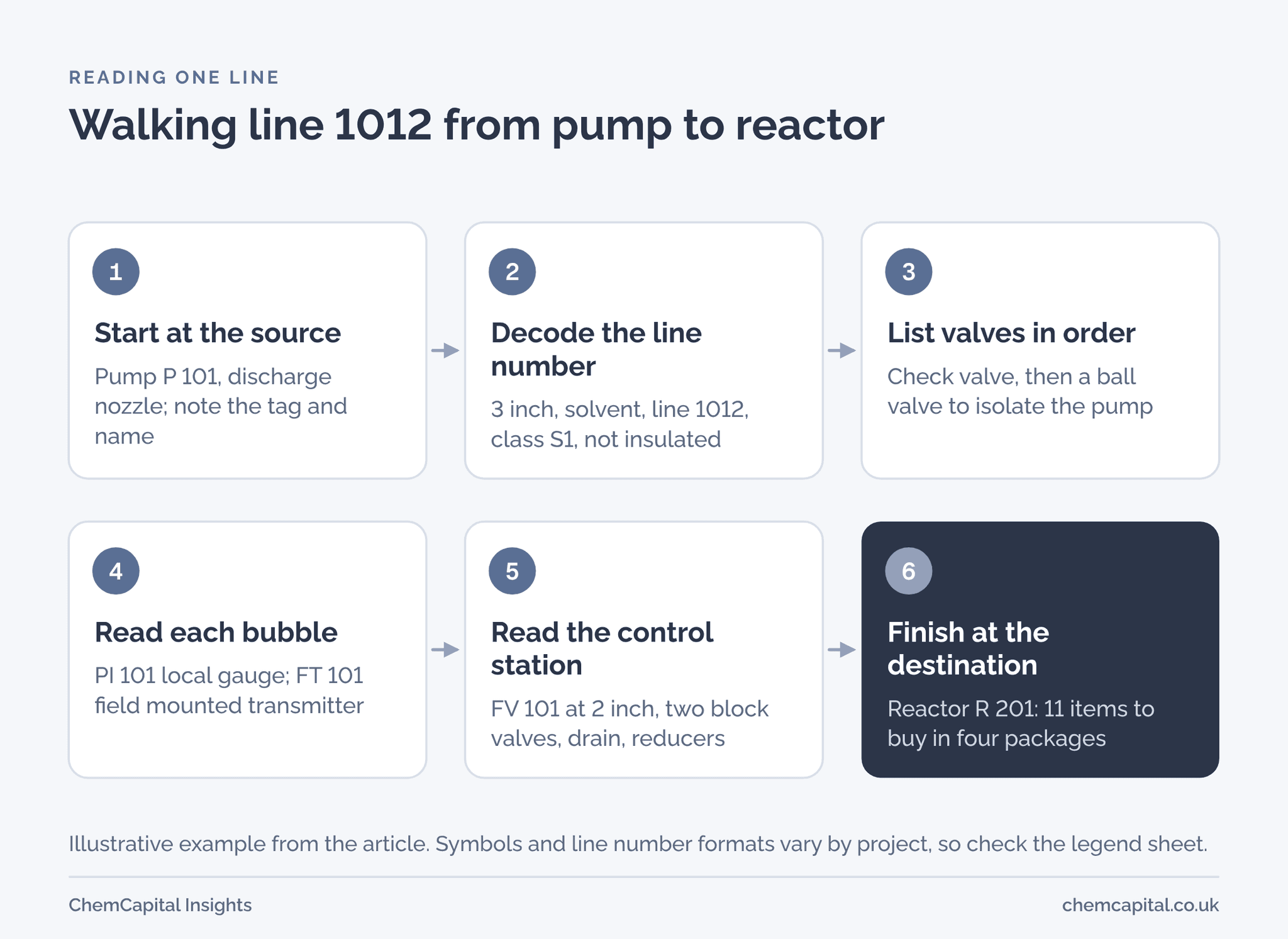
Illustrative figures. Pump P 101 transfers solvent from tank TK 101 to reactor R 201. The discharge line reads 3 SOL 1012 S1 N: 3 inch, solvent service, line 1012, pipe class S1, not insulated.
Walking from the pump, the drawing shows PI 101, a local gauge on a root valve; a check valve, then a ball valve to isolate the pump; FT 101, a field mounted flow transmitter; and a control valve station around the 2 inch FV 101, with block valves, a drain and reducers. FIC 101 is a circle inside a square, so it lives in the control system.
| Package | Items from line 1012 | Count |
|---|---|---|
| Manual and check valves, class S1 | Three 3 inch ball valves, one 3 inch check valve, one 3/4 inch drain valve, one 1/2 inch root valve | 6 |
| Control valve | FV 101, 2 inch, with actuator | 1 |
| Instruments | PI 101 gauge, FT 101 flow transmitter | 2 |
| Piping specials | Two reducers, 3 inch to 2 inch | 2 |
| Control system | FIC 101, configured in software | 0 |
| Total to buy | 11 |
One line gives 11 items in four packages. What the drawing omits matters as much: the flow, pressure and temperature needed to size FV 101 and select FT 101 come from the PFD and process datasheets [1]. So the enquiry for FV 101 goes out with its process datasheet, not the P&ID alone.
From P&ID to RFQ with ChemCapital
Counting by hand across many sheets and revisions invites mistakes. ChemCapital's P&ID to RFQ uses a rule based import for DEXPI 1.3 XML files, and reads P&ID PDFs and scans. It extracts tagged equipment, instruments, valves and lines, each with a confidence score, for you to review and accept. Accepted items are grouped into procurement packages, which can be promoted to a cost plan and turned into RFQs, and a new revision can be compared with the previous one. Treat extraction from a PDF as a first pass for an engineer to check against the legend and line numbers, not a finished list.
Ready to turn your next P&ID into a clean set of RFQs? Start free with ChemCapital.
Frequently asked questions
What is a P&ID?
A P&ID, or piping and instrumentation diagram, is a schematic of the equipment, lines, valves and instruments in a process and how they connect, with equipment and instruments tagged and lines numbered. It is not drawn to scale and does not carry the process temperatures, pressures or flows, which sit on the process flow diagram.
What is the difference between a P&ID and a PFD?
A process flow diagram shows what the process does, with stream numbers, temperatures, pressures and flows. A P&ID shows how it works, with every line, valve and instrument, line numbers and instrument tags, but without those process values.
What do the letters on a P&ID instrument mean?
The first letter is the measured or initiating variable, such as F for flow or T for temperature, and the letters after it mostly give the function, such as I for indicate, C for control or T for transmit. So FIC 101 is a flow indicating controller, and PSV a pressure safety valve.
What is DEXPI?
DEXPI is an industry specification for exchanging P&IDs and other engineering data between software tools without losing information in format conversions. A DEXPI file carries tags, line numbers and connections as data, so they can be imported rather than read off a drawing.
Continue reading
Informational only, not procurement or legal advice. Cited names, frameworks, and statistics belong to their respective owners.
Join ChemCapital to streamline sourcing and connect with verified partners
Whether you're buying or supplying, ChemCapital gives you the tools to manage the complete procurement cycle in one platform.
Get started freeRelated articles
NPSH Explained: NPSHa vs NPSHr with a Worked Example
NPSHa is what your suction system gives a pump; NPSHr is what the pump needs. How to calculate NPSHa, what margin to ask for and how to check it on pump bids.

Control Valve Sizing: Kv and Cv Formula with a Worked Example
How to size a control valve for liquid: Kv and Cv defined, the sizing equation in metric and US units, choked flow checks, the datasheet a vendor needs and a worked example.

Technical Bid Evaluation for Process Equipment: Step by Step
A technical bid evaluation decides which bids meet your specification before prices are compared. The steps, who takes part, common mistakes and a pump example.