
P&ID Symbols: Valves, Pumps, Vessels and Instruments
A plain reference to common P&ID symbols for lines, valves, pumps, vessels, heat exchangers and instruments, and what each tells a buyer about what must be quoted.
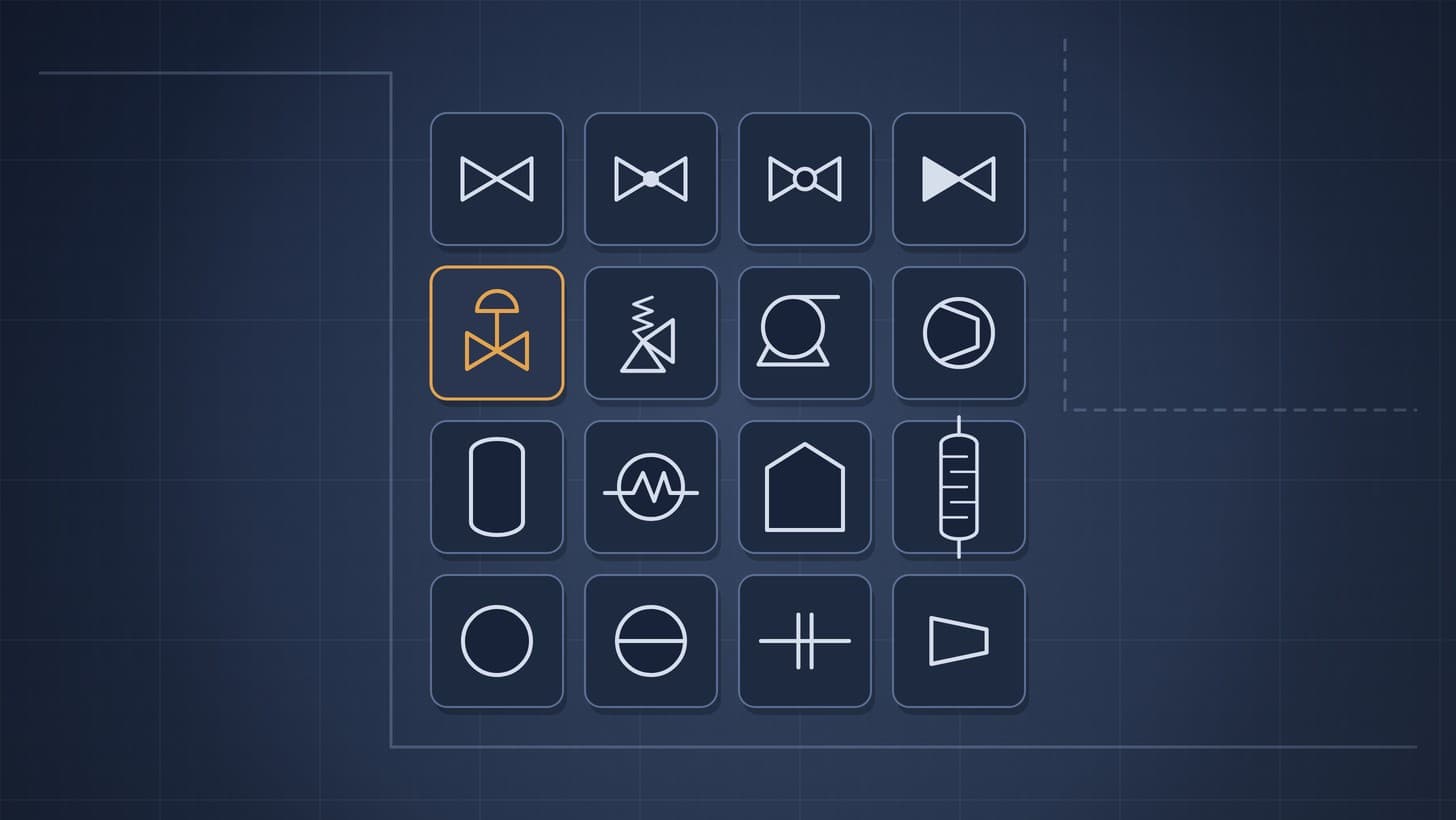
P&ID symbols are the standard shapes used on piping and instrumentation diagrams to show process lines, valves, pumps, vessels, heat exchangers and instruments. Equipment, piping and valve symbols for the process industries are set out in ISO 10628 Part 2 [1], and instrument symbols and tags in ISA 5.1, which was updated in 2024 [2]. Each project also issues a legend sheet that shows the exact symbols it uses, so the legend always wins over any general guide, including this one.
For a buyer, every symbol is a line on a purchase order. This reference groups the common symbols by family, describes them in plain words, and shows what each family means for the equipment list, the valve list, the instrument index and the RFQ.
Why this matters now
Two developments make symbols matter more, not less. ISA 5.1, the standard for instrument and control symbols and identification, was reorganised in 2024, with new symbols, a new title that adds "Control", and its guidance annexes moved into separate technical reports [2]. And P&IDs are increasingly exchanged as data: DEXPI, the open exchange format, builds on ISO 10628 for equipment and on IEC 62424 for instrumentation [3], and tools such as Autodesk's DEXPI bridge for AutoCAD Plant 3D include an ISO 10628 configuration [4]. A symbol drawn consistently today can become structured data that software reads tomorrow.
Join ChemCapital to streamline sourcing and connect with verified partners
Whether you're buying or supplying, ChemCapital gives you the tools to manage the complete procurement cycle in one platform.
How to read any symbol
Every item on a P&ID has three parts:
- The shape, which shows what kind of item it is.
- The tag, a short code that identifies the item uniquely, such as P101A for a pump or FT 101 for a flow transmitter.
- The connections, which show what it is joined to and by what kind of line.
Read the legend first, then the title block for the drawing number and revision, and then follow the process from left to right. ISO 10628 Part 1 sets out how flow diagrams in the chemical and petrochemical industry are classified, what they contain and how they are drawn [5]. The Process Industry Practices standard for P&IDs, PIC001, sets out what information belongs on the drawing for nine classes of equipment; for a pump, for example, that includes the equipment number, service and capacity [6]. Our guide on how to read a P&ID walks through a full sheet.
Lines
| Line | Usual appearance | What it means | What it leads to |
|---|---|---|---|
| Main process line | Solid, heavier line with a line number | Pipe carrying process fluid | Line list, piping take off |
| Minor or utility line | Solid, lighter line | Utility or smaller process connection | Line list |
| Electrical signal | Dashed line | Signal between instruments | Instrument cabling scope |
| Pneumatic signal | Line with short diagonal strokes at intervals | Instrument air signal | Instrument tubing scope |
| Data link | Line with small circles at intervals | Digital communication | Control system scope |
| Traced or jacketed line | Process line with an extra parallel or dashed line | Heat tracing or jacket | Tracing and insulation scope |
Line numbers usually encode size, fluid, sequence and piping class. They are the starting point for the line list, valve list and instrument index.
Valves
Most valve symbols start from the same basic shape: two triangles pointing at each other, tip to tip, like a bow tie, drawn across the line. What sits in the middle, or on top, tells you the type.
| Valve | Usual appearance | Typical use | What the supplier needs |
|---|---|---|---|
| Gate | Plain bow tie | On and off isolation | Size, rating, material, end connections |
| Globe | Bow tie with a filled dot in the middle | Throttling | As above, plus flow and pressure drop |
| Ball | Bow tie with a small circle in the middle | Quick isolation | As above, plus full or reduced bore |
| Butterfly | Bow tie with a short line across the middle, or a circle with a disc | Larger lines, low pressure drop | Size, rating, seat and disc materials |
| Check | Bow tie with one side filled, or an arrow | Stops reverse flow | Size, rating, type, orientation |
| Diaphragm | Bow tie with a curved line on top | Hygienic or corrosive service | Body lining, diaphragm material |
| Control valve | Valve body with an actuator drawn on top, often a dome | Automatic control | Datasheet with flow cases for sizing |
| Pressure relief valve | Angle body with a spring drawn as a zigzag | Overpressure protection | Set pressure, relieving case, size |
Manual valves feed the valve list and bulk valve packages. Control valves and relief valves usually get their own datasheets and packages.
Pumps and compressors
| Item | Usual appearance | What the supplier needs |
|---|---|---|
| Centrifugal pump | Circle with the outlet leaving at the top or side, often with a small triangle or line inside | Pump datasheet: duty, liquid, NPSH available |
| Positive displacement pump | Circle or rectangle with an internal mark for the type, such as gears or a diaphragm | Datasheet with flow, pressure, viscosity |
| Compressor | Trapezoid, wide at the inlet and narrow at the outlet | Datasheet with gas, flows, pressures |
| Fan or blower | Circle with blades, or a simple fan outline | Flow, static pressure, temperature |
| Vacuum pump | Pump symbol marked for vacuum, often with a separate package outline | Suction pressure, gas load, seal liquid |
A pair of pumps tagged A and B usually means one running and one standby, and both go on the equipment list.
Vessels, tanks and columns
| Item | Usual appearance | What the supplier needs |
|---|---|---|
| Vertical pressure vessel | Tall rectangle with rounded top and bottom | Mechanical datasheet, nozzle schedule |
| Horizontal drum | Long rectangle with rounded ends, often on saddles | As above |
| Atmospheric storage tank | Rectangle with a flat or slightly peaked roof | Tank datasheet, design code |
| Column | Tall vessel with dashed lines for trays or a hatched zone for packing | Internals specification, nozzle schedule |
| Agitated reactor | Vessel with a shaft and impeller drawn inside and a motor on top | Vessel and agitator datasheets |
| Jacketed vessel | Vessel with a second outline around the lower part | Jacket design conditions |
Each vessel tag goes onto the equipment list with its design pressure, temperature and materials.
Heat exchangers
| Item | Usual appearance | What the supplier needs |
|---|---|---|
| Shell and tube exchanger | Circle with a zigzag line through it, or a long outline showing shell and channel | TEMA style datasheet |
| Plate exchanger | Rectangle with several parallel vertical lines | Duty, fluids, temperatures, pressure drops |
| Air cooler | Rectangle with a fan drawn above or below | Duty, ambient design temperature |
| Reboiler or condenser | Exchanger symbol connected to a column | Datasheet, including phase change |
Other common items
Small items are easy to miss and often end up unpriced, because they sit on the line rather than standing out as equipment.
| Item | Usual appearance | Why it matters to the buyer |
|---|---|---|
| Strainer | Line with a small Y shape or basket outline | Often bought with valves or as bulk items |
| Filter | Vessel outline with a dashed internal element | Element type and spares |
| Sight glass | Small circle or rectangle on a line or vessel | Pressure rating and gasket materials |
| Steam trap | Small square or circle marked T on a steam line | Bought in bulk by type and size |
| Spectacle blind | Figure of eight shape across the line | Size and rating; often supplied with piping |
| Reducer | Short tapered section between two line sizes | Part of the piping take off |
| Flexible hose | Wavy line section | Pressure, temperature and fluid compatibility |
| Package boundary | Dashed or dash dot outline around a group of items | Shows a supplier's scope: everything inside is in the package |
The package boundary deserves special attention. Everything inside it should be in the package supplier's scope, and every line crossing it is a tie in point that someone else must connect. Mark these points on the RFQ drawings so bidders price the same scope.
Instruments and tags
ISA 5.1 provides a uniform way to show and identify instrumentation and control functions [2]. The common conventions are:
| Element | Usual appearance | Meaning |
|---|---|---|
| Field instrument | Plain circle | Mounted in the field |
| Control room instrument | Circle with a solid horizontal line through it | Available to the operator in the main control room |
| Behind panel | Circle with a dashed horizontal line | Not normally accessible to the operator |
| Shared display | Circle inside a square | Function in a shared control system, such as a distributed control system |
| Computer function | Hexagon | Function in a separate computer |
| Programmable logic | Diamond inside a square | Function in a programmable logic controller |
Inside the bubble sits the tag. The first letter is the measured variable, for example F flow, P pressure, T temperature, L level or A analysis. The following letters are the functions, for example I indicate, T transmit, C control, V valve, A alarm, S switch or E primary element. The number is the loop. So FT 101 is a flow transmitter in loop 101, and FV 101 is the flow control valve in the same loop.
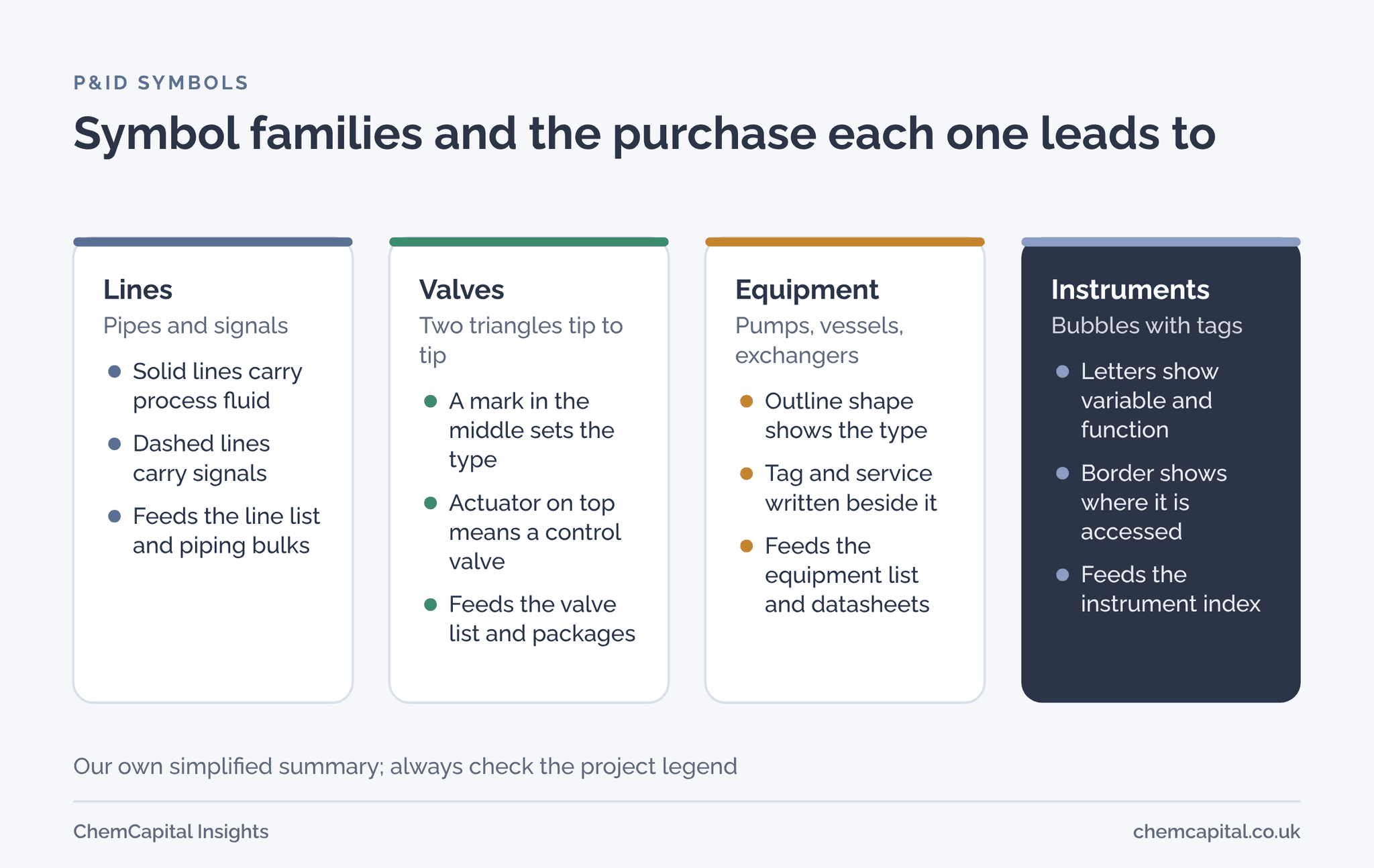
From symbol to purchase package
| Symbol family | Goes onto | Bought as |
|---|---|---|
| Process lines | Line list | Bulk piping by piping class |
| Manual valves | Valve list | Valve packages by type and rating |
| Control and relief valves | Instrument index or own lists | Control valve and relief valve packages |
| Pumps, compressors, fans | Equipment list | Individual RFQs with datasheets |
| Vessels, tanks, columns | Equipment list | Fabricated equipment packages |
| Heat exchangers | Equipment list | Exchanger packages with TEMA sheets |
| Instruments | Instrument index | Instrument packages by type |
Practical example
In this illustrative example, a buyer reads a small loop on a P&ID for a solvent feed. A plain circle on the line from pump P101A is tagged FT 101: a field mounted flow transmitter. A circle inside a square in the control room area is tagged FIC 101: a flow indicating controller in the distributed control system. A valve with an actuator dome downstream of the pump is tagged FV 101: the flow control valve. Dashed lines join the three.
That one loop produces three purchases: a flowmeter with its instrument datasheet, a control valve with its sizing data, and configuration work in the control system. A buyer who can read the loop can check that all three are in scope before the RFQ goes out.
Where ChemCapital fits
ChemCapital's P&ID to RFQ turns symbols and tags into procurement items. Its DEXPI import reads equipment, instruments, valves, nozzles and pipe segments where the file follows supported structures, and more than 300 tag patterns are recognised as standard, with tag rules that can be set per project. PDFs and scans can also be uploaded for extraction with confidence scores and human review, and accepted items are grouped into packages that can become RFQs. For the data format behind it, see DEXPI explained.
Ready to turn your P&ID symbols into purchase packages? Start free with ChemCapital.
Frequently asked questions
What standards define P&ID symbols?
Equipment, piping and valve symbols for the process industries are set out in ISO 10628 Part 2, and instrument symbols and tags in ISA 5.1, updated in 2024. Many companies and projects also use their own legend sheets, so always check the legend on the drawing set.
How do I read an instrument tag on a P&ID?
The first letter shows what is measured, for example F for flow, P for pressure, T for temperature and L for level. The following letters show what the instrument does, such as I for indicate, T for transmit, C for control and V for valve, and the number links it to its loop.
What does a circle with a line through it mean on a P&ID?
In the common ISA convention, a plain circle is an instrument mounted in the field, and a solid horizontal line through it means the function is available to the operator in a central control room. A square around the circle usually shows a shared display, such as a distributed control system.
Continue reading
Informational only, not procurement or legal advice. Cited names, frameworks, and statistics belong to their respective owners.
Join ChemCapital to streamline sourcing and connect with verified partners
Whether you're buying or supplying, ChemCapital gives you the tools to manage the complete procurement cycle in one platform.
Get started freeRelated articles
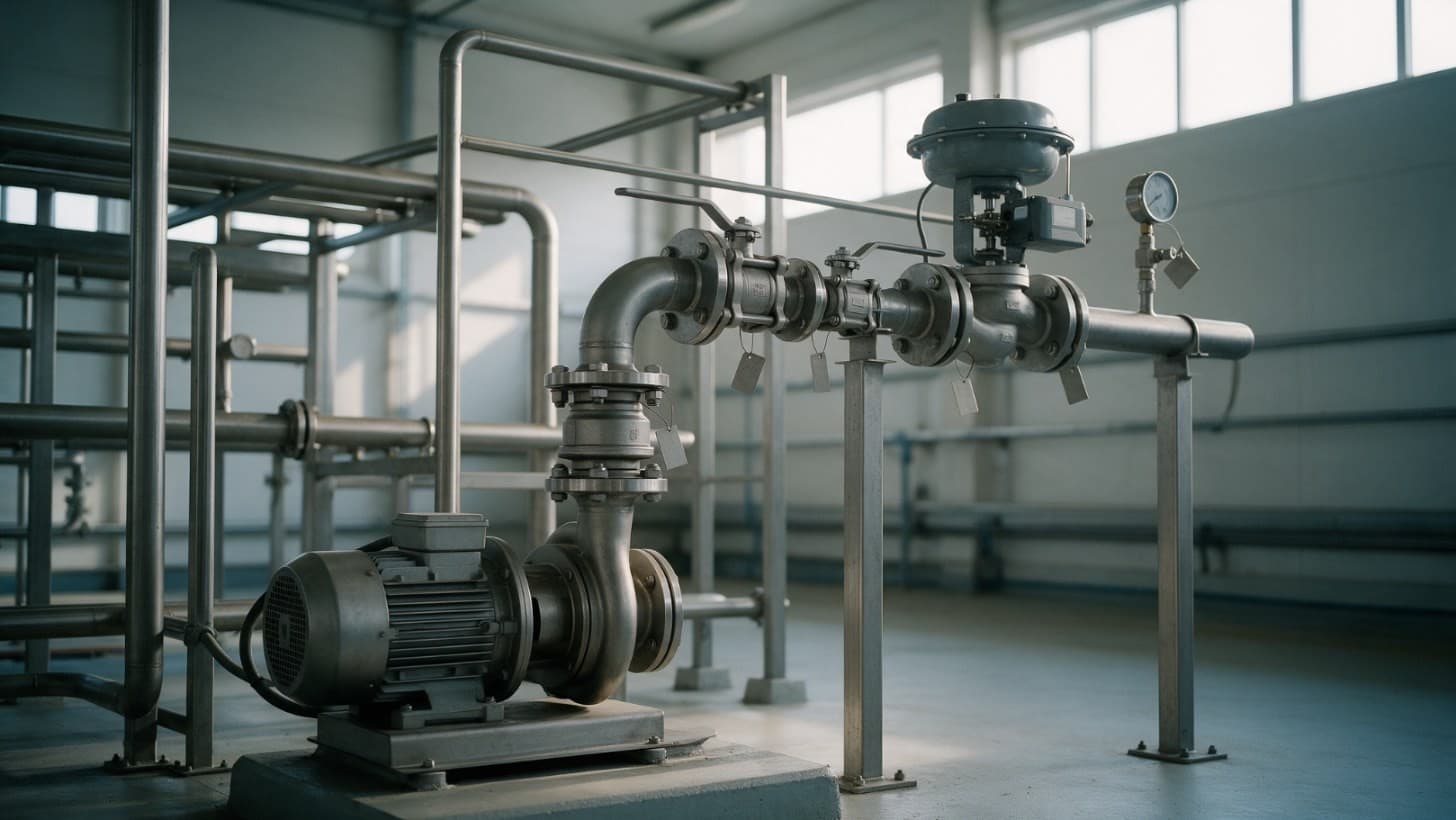
How to Read a P&ID: A Line by Line Guide for Engineers and Buyers
How to read a P&ID line by line: equipment tags, line numbers, valves and ISA instrument letters, and what a buyer takes from the drawing to build RFQs.
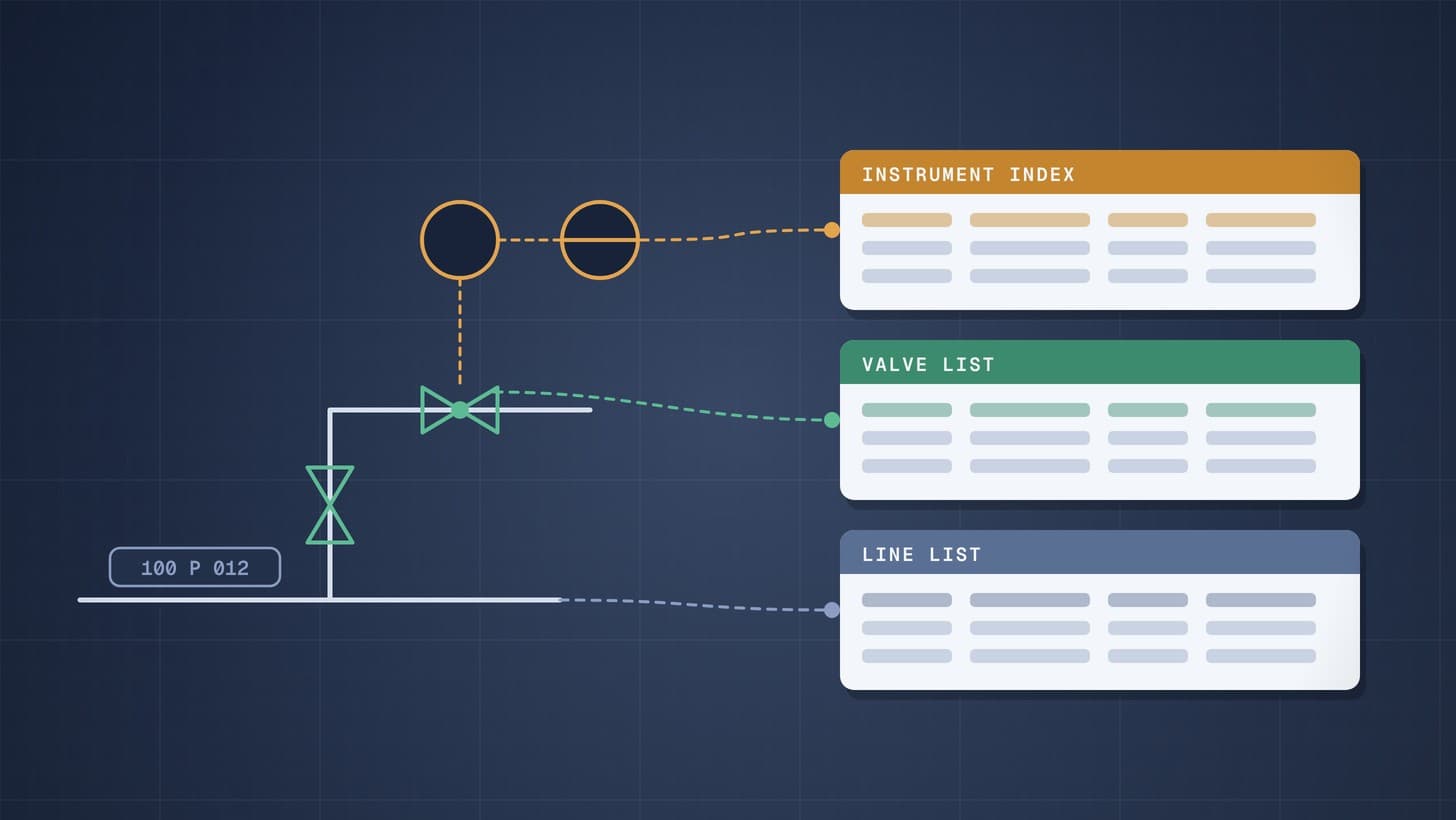
Line List, Valve List and Instrument Index Explained
The three engineering lists that sit beside every P&ID: what each contains, who owns it, how it is built, and how procurement turns it into purchase packages.
PFD vs P&ID vs Block Flow Diagram: Which Drawing a Quote Needs
What a block flow diagram, a PFD and a P&ID each show and leave out, when each exists, and which one a supplier needs to price equipment at each estimate stage.