
Expediting Equipment Orders: Guide and Weekly Report Template
Expediting keeps an equipment order on its delivery date. Desk and field expediting, the evidence for each milestone, red flags, escalation and a weekly report template.
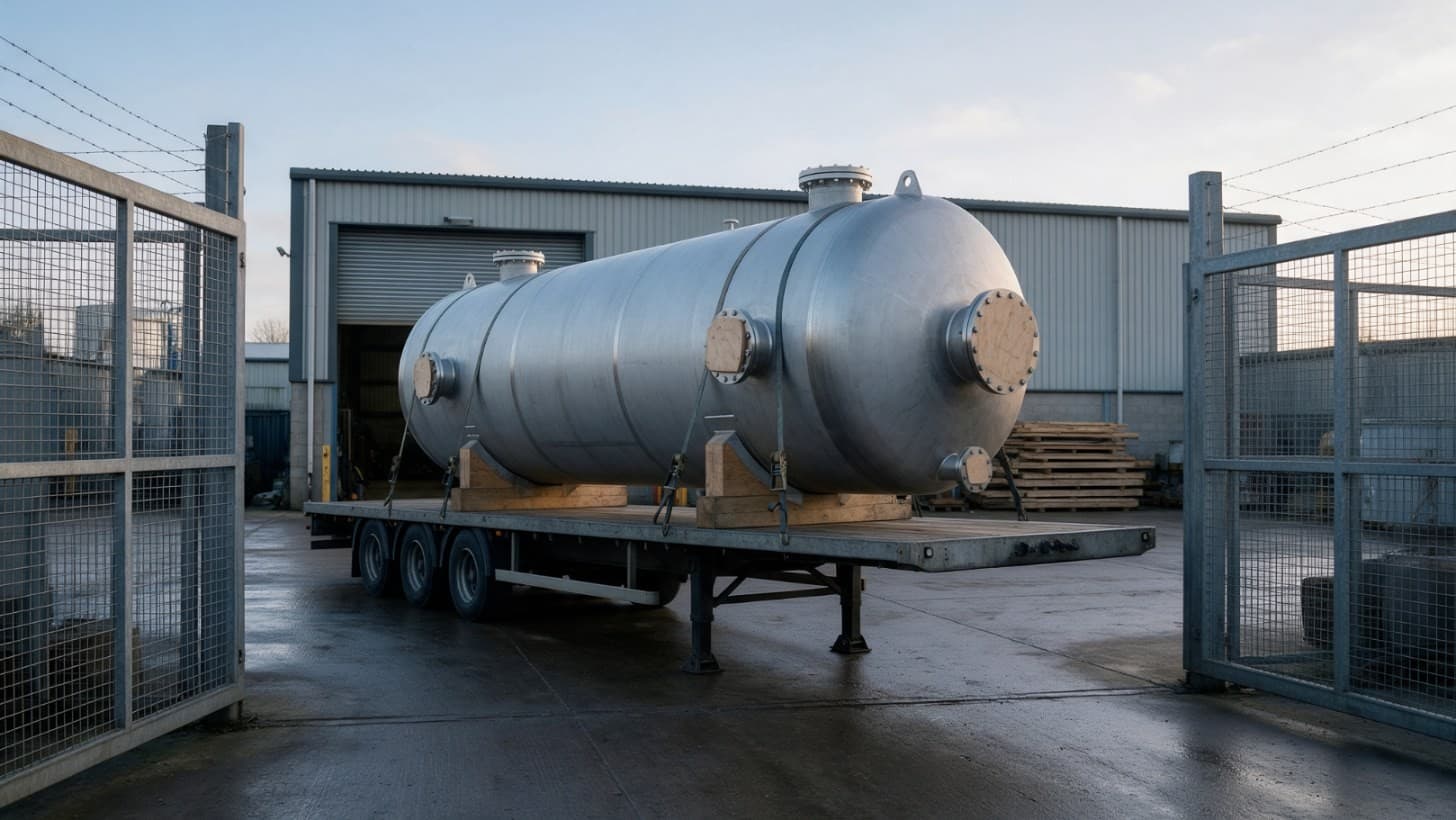
Expediting is the work a buyer does after placing a purchase order to make sure the equipment arrives on the agreed date, complete and with its documents. The expediter follows the order from engineering to dispatch and acts as soon as a step slips, rather than simply reporting status [1]. It is done from the desk, in the supplier's works, or both [1, 2].
Inspection is a separate job: it confirms that the equipment complies with the rules that apply and with your own quality requirements [2]. Expediting protects the date, using milestones with evidence behind each one.
Why this matters now
In a 2023 study of oil and gas pipeline projects in Saudi Arabia, delays in materials and equipment delivery ranked second among the five main causes of schedule delay and carried the most weighted sub causes. Delays in preparing and approving engineering drawings ranked fifth [3].
Many delays start with the buyer. A 2019 survey of 42 construction experts in the same country, led by the same researcher, named late purchase orders, slow approval of shop drawings and late supplier payments among the main causes of late material delivery [4]. Good expediting watches both sides, and matters most for items with long lead times, where there is little room to recover.
Create and manage RFQs in minutes
ChemCapital handles the entire procurement cycle, from structured RFQs and supplier comparisons to formal purchase orders and delivery tracking.
Desk expediting, field expediting and inspection
Applus+ describes expediting as a procurement activity that aims to shorten each phase of production. Its service covers the whole order, from meetings before work starts, through engineering, sub suppliers, manufacture and tests, to shipping papers and close out [1]. CIPS, the Chartered Institute of Procurement and Supply, treats expediting as a planned process built on milestones, delivery tracking and checks on documents [5].
TÜV Rheinland describes desk expediting as tracking an order remotely at agreed milestones, and field expediting as a visit to check where the order really stands [2]. Applus+ notes that desk expediting can be done by telephone between visits [1], and Bureau Veritas usually plans its expediters' visits around key milestones [6].
Set the level by criticality: desk expediting for every order, plus field visits for orders on the critical path, suppliers new to you, and any order whose reports stop matching the evidence. Write the right to visit the supplier's and sub suppliers' works, and the reports you expect, into the purchase order.
Inspection usually happens at hold and witness points in the inspection and test plan (ITP). One visit can cover both, but keep the questions apart: a weld made three weeks late can still pass inspection.
Equipment order milestones and the evidence for each
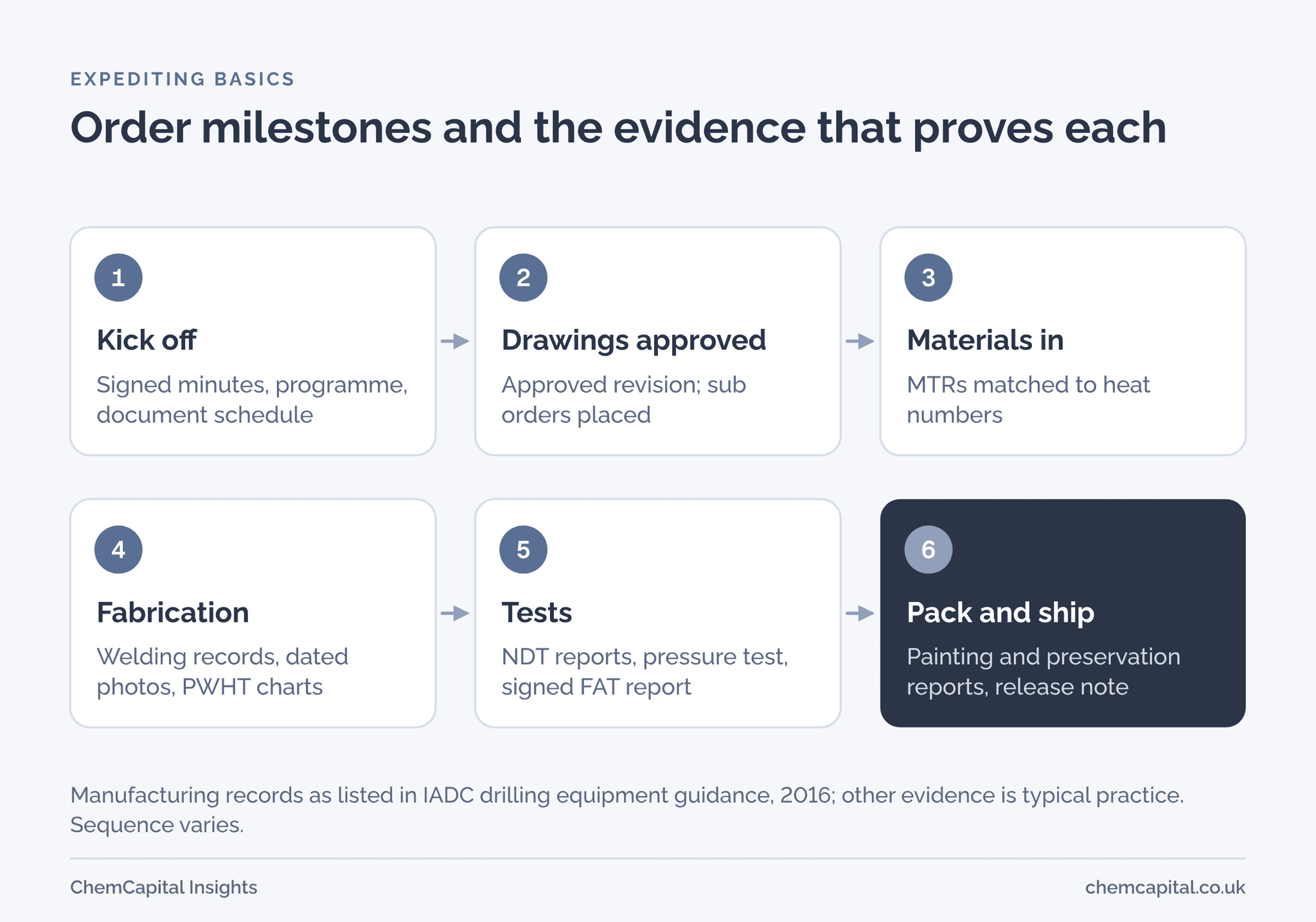
A milestone is complete when its evidence is in your hands, not when the supplier says so. Record book guidance from IADC, the drilling contractors' association, lists records such as material test reports (MTRs), welding records, post weld heat treatment (PWHT) charts, non destructive testing (NDT) reports and coating and preservation reports, each traceable to a part, serial, heat or order number [7].
| Milestone | Evidence that proves it | Warning sign |
|---|---|---|
| Kick off meeting | Signed minutes, agreed programme, document schedule | Programme with no sub orders or float |
| Drawings and calculations approved | Documents returned approved at a stated revision | Second or third review cycle |
| Sub orders placed | Copies of orders for plate, forgings, tubes and bought out items | Items still to be ordered after approval |
| Materials received | MTRs matched to heat numbers on the material | Certificates missing or for the wrong grade |
| Fabrication stages | Welding records, dated photographs, PWHT charts | Same progress figure two weeks running |
| NDT and pressure test | NDT reports, signed pressure test certificate | Weld repairs, retest dates moving |
| Factory acceptance test (FAT) | Signed FAT report and punch list | FAT date slipping, parts missing |
| Finishing and packing | Coating and painting report, preservation report, packing list | Record book left until the end |
| Shipped | Release note, record book, transport documents | Transport for oversized loads not booked |
Bureau Veritas checks that nothing in the schedule is left undone before dispatch [6], and the 2023 study lists late or inaccurate inspection documents and transport of oversized equipment among the sub causes of late delivery [3].
A weekly expediting report template
Issue one report per order, the same day each week. Bureau Veritas reports on every order and sub order its expediters visit, measuring where manufacture stands against the supplier's plan [6]; Applus+ requires its expediters to call the client and send a short flash report while still at the works [1]. Keep yours to one page:
| Section | What to record |
|---|---|
| Header | Order number, supplier, item and tag, date, expediter |
| Dates | Contract delivery date, current forecast, change since last report |
| Progress | Planned and earned progress, as weighted milestone percentages |
| Milestones | Planned, forecast and actual week for each, with the evidence received |
| Sub orders | Each sub supplier, due date and certificate status |
| Documents | Drawings and records due, submitted, approved or overdue |
| Issues and actions | What is late, the recovery action, owner and date |
| Waiting on the buyer | Approvals, answers or payments the supplier needs from you |
| Status | Green, amber or red, with the reason in one line |
Here, green means the forecast meets the contract date with float, amber means it meets it with none left, and red means it is late. The buyer line matters: the CIPS standard includes tracking variations from planned supplier payments [5], and late approvals and payments cause late deliveries [4].
Red flags and how to escalate
These usually predict a late delivery:
- drawing approval running late, or in a second or third review cycle [3, 4]
- sub orders not placed by the date in the programme
- certificates or inspection documents late or wrong [3]
- a forecast date that holds while milestones slip
- a full workshop; TÜV Rheinland's production control watches supplier workload [2]
- approvals or payments outstanding from your side [4]
Escalate in steps: ask the supplier's project manager for a written recovery plan with dates; if that fails, go to their operations director and visit. Give any notice your order requires as soon as you see the risk, and keep contract remedies such as delay damages for last.
The NEC4 Supply Contract, written for high value goods, obliges both sides to warn each other promptly of any risk to price, delivery or how the goods will perform, and runs on a delivery programme that is revised as work proceeds [8]. Under MF/1, a model form for mechanical and electrical plant, the purchaser can deduct liquidated damages for delay up to a maximum percentage of the contract value. If that limit is reached and the delay goes on, it can set a final time for completion; missing that may entitle it to terminate and recover its loss, subject to any limits in the contract [9]. Your own order's terms decide what applies. This is general information, not legal advice.
Practical example
Take an illustrative order: a jacketed stainless steel vessel, £240,000, due on site in week 26 after the purchase order. The supplier plans to ship in week 24, with one week for transport, leaving one week of float.
At week 12:
| Milestone | Weight | Planned week | Actual or forecast week |
|---|---|---|---|
| Kick off meeting | 2% | 1 | 1 |
| Drawings approved | 8% | 5 | 8 |
| Plate and forgings ordered | 5% | 6 | 9 (plate 6) |
| Materials received with MTRs | 10% | 11 | 14, forecast (plate 11) |
| Shell, heads and jacket welded | 25% | 16 | 16, forecast |
| Nozzles fitted, NDT complete | 15% | 18 | 21, forecast |
| Hydrostatic test and FAT | 15% | 20 | 23, forecast |
| Finishing, record book, packing | 10% | 23 | 26, forecast |
| Shipped | 10% | 24 | 27, forecast |
Planned progress by week 12 is 2 + 8 + 5 + 10 = 25%. Earned progress is 2 + 8 + 5 = 15%, ten points behind. The cause is the buyer's: drawing comments took two review cycles, so approval came three weeks late, and the supplier would not order nozzle forgings until the nozzle schedule was approved. With a five week lead time, they arrive in week 14, not week 11. Shell work continues with plate that arrived on time, but all work from nozzle fitting slips three weeks: on site in week 28, two weeks late. Status: red.
The week 12 meeting agrees two recovery actions. The supplier adds a second shift on nozzle welding, finishing NDT in week 20 instead of 21. The buyer reviews the record book in sections during fabrication, so finishing and packing take two weeks after FAT instead of three. FAT moves to week 22, packing to week 24, shipping to week 25 and arrival to week 26: on the contract date, with no float. Status: amber.
Without recovery, take illustrative delay damages of 0.5% of the order value per week. Two weeks late would return 2 × 0.5% × £240,000 = £2,400, which does not give the project back its two weeks. The week 12 report did.
Keep every update in one record
Expediting works best when dates and evidence sit in one place. On ChemCapital, suppliers confirm formal purchase orders and post milestone updates, and the audit trail logs every interaction, revision and decision with a timestamp. You can build your weekly report from that one record, and the history is there if a delay is ever disputed.
Ready to track every order against its milestones? Start a free 14 day ChemCapital trial, with no credit card needed.
Frequently asked questions
What does expediting mean in procurement?
Expediting is the follow up a buyer does after placing an order to make sure the goods arrive on time, complete and with their documents. It means acting early when a step slips, not just reporting status.
What is the difference between expediting and inspection?
Expediting protects the delivery date by tracking progress against the programme. Inspection confirms that the equipment complies with the applicable rules and your quality requirements, usually at hold and witness points in the ITP, and one visit can cover both.
What is desk expediting?
Desk expediting is monitoring an order from the office, by phone, email and documents, at set milestone points. Field expediting adds visits to the supplier's works to check the real order status and suits critical orders.
What should a weekly expediting report include?
The contract and forecast delivery dates, planned and earned progress, each milestone with its evidence, sub orders, documents, open issues with owners, anything the supplier is waiting for from the buyer, and a status with its reason.
Continue reading
Informational only, not procurement or legal advice. Cited names, frameworks, and statistics belong to their respective owners.
Create and manage RFQs in minutes
ChemCapital handles the entire procurement cycle, from structured RFQs and supplier comparisons to formal purchase orders and delivery tracking.
Start for freeRelated articles

Site Acceptance Test (SAT) Checklist for Process Skids
What a site acceptance test must prove once a skid is installed, how SAT differs from FAT and commissioning, a full SAT checklist and how to handle failed tests.
Recommended Spares List: Commissioning, Operating and Insurance Spares
What a recommended spares list should hold: commissioning, two year operating and insurance spares, criticality, what to ask in the RFQ, and a pump and vessel template.
Punch List Categories and Mechanical Completion for Process Plant
What a punch list is, how category A, B and C items gate mechanical completion, start up and handover, who clears them, and a template for vendor equipment packages.